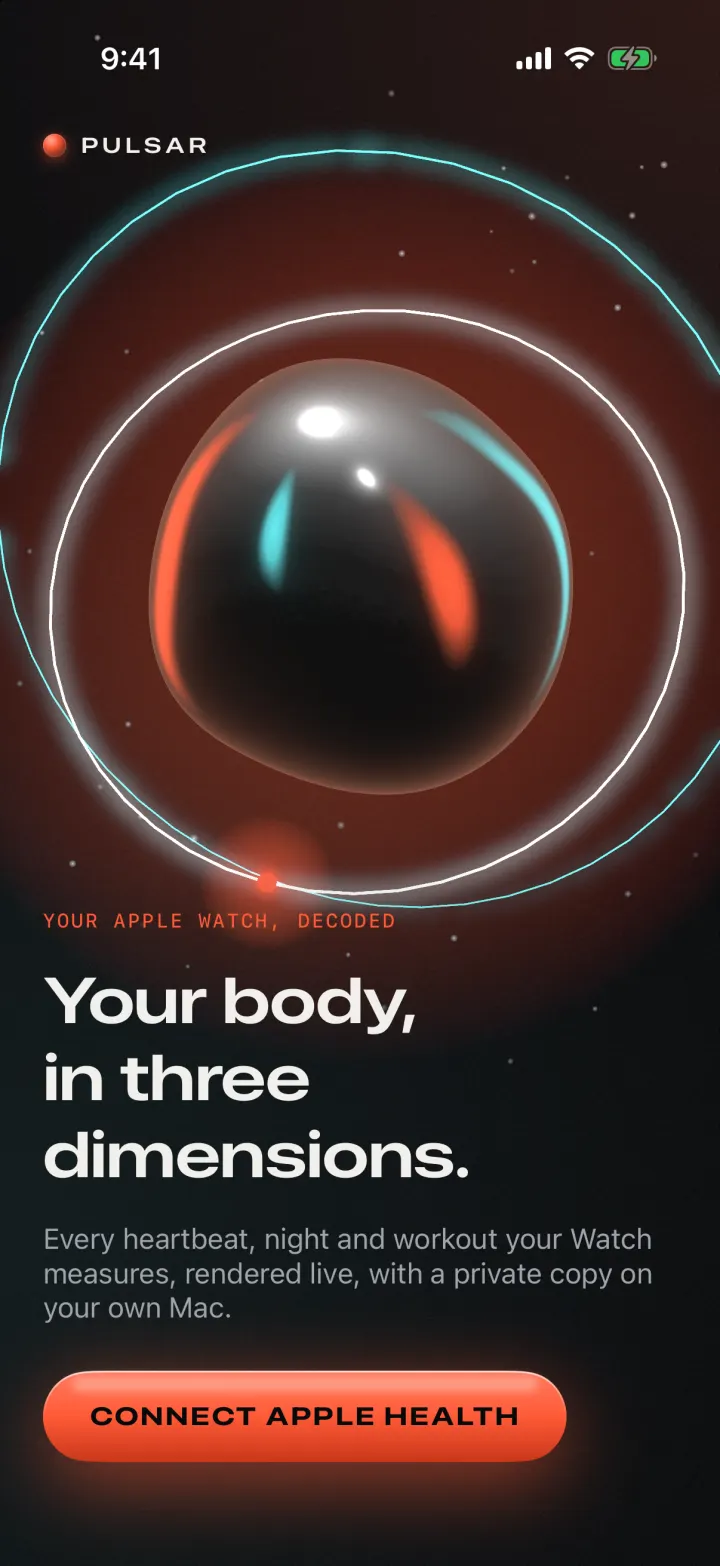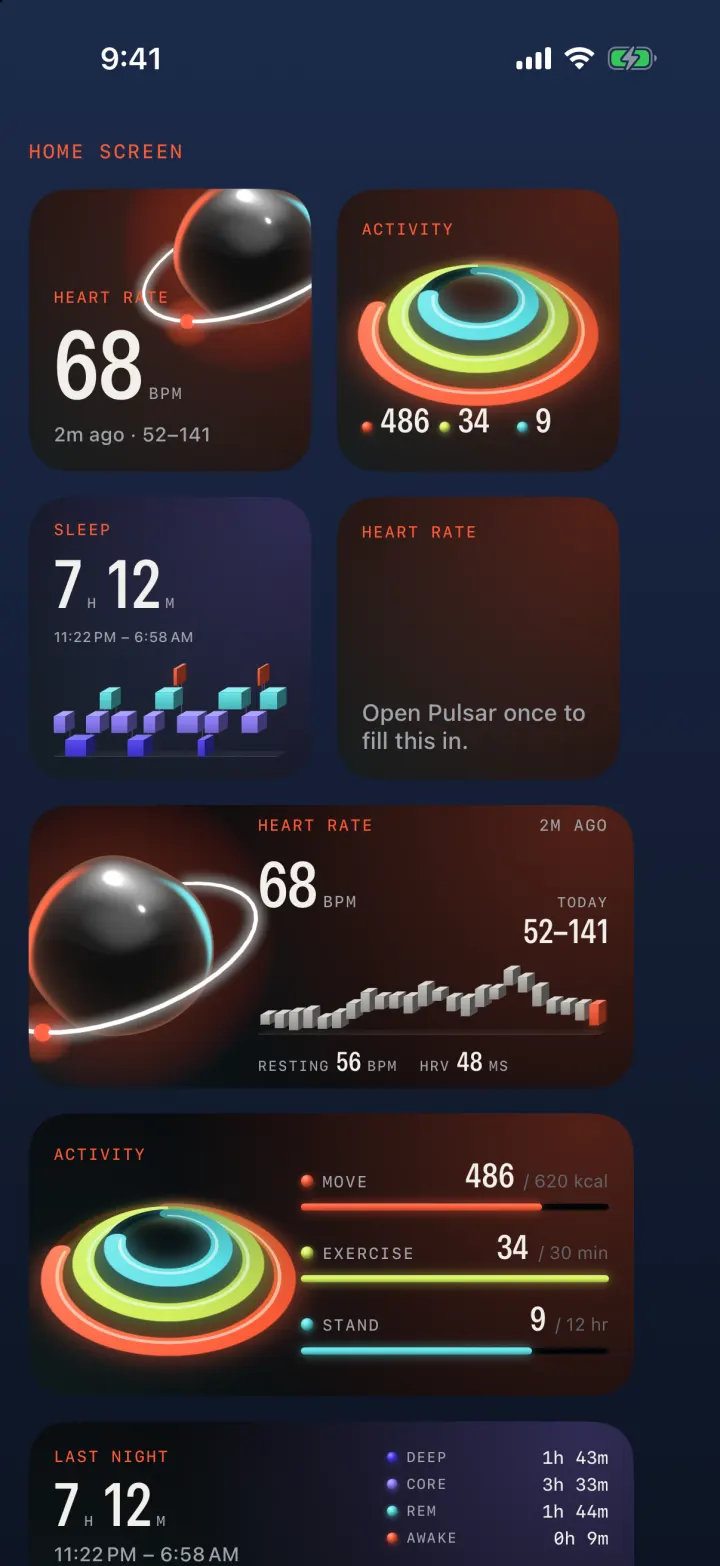
Your Apple Watch, decoded

Your body,
in three dimensions.

Every heartbeat, night and workout your Watch measures, rendered live on your iPhone, with a private copy in a database on your own Mac.

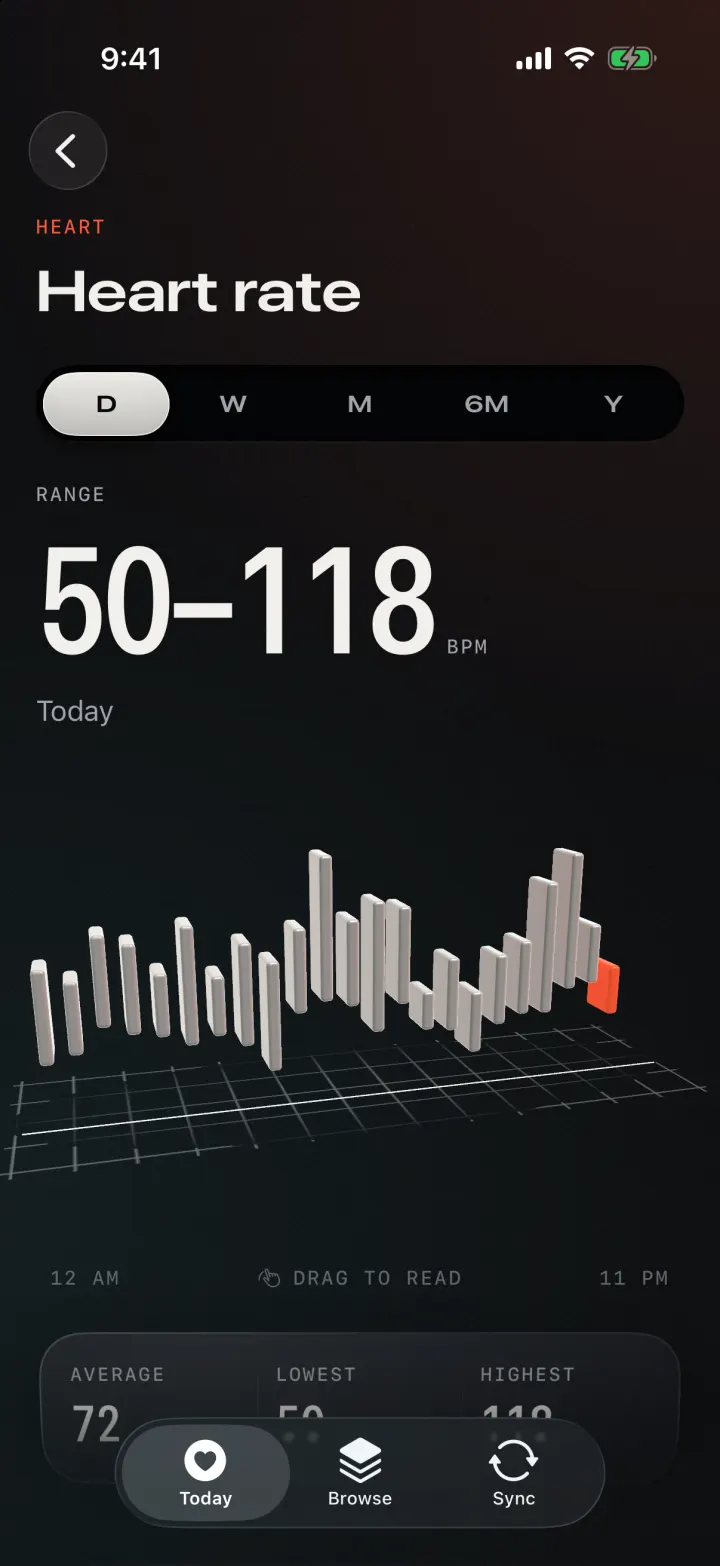
Heart rate 68bpm 2 min ago · today 52–141 · drag the orb to spin it
The app

A lit studio for your health.

A near-black room lit by one warm ember light and one cool aqua light. Every screen has a real 3D object built from your data, and the glass panes tilt as you move and catch the same light.

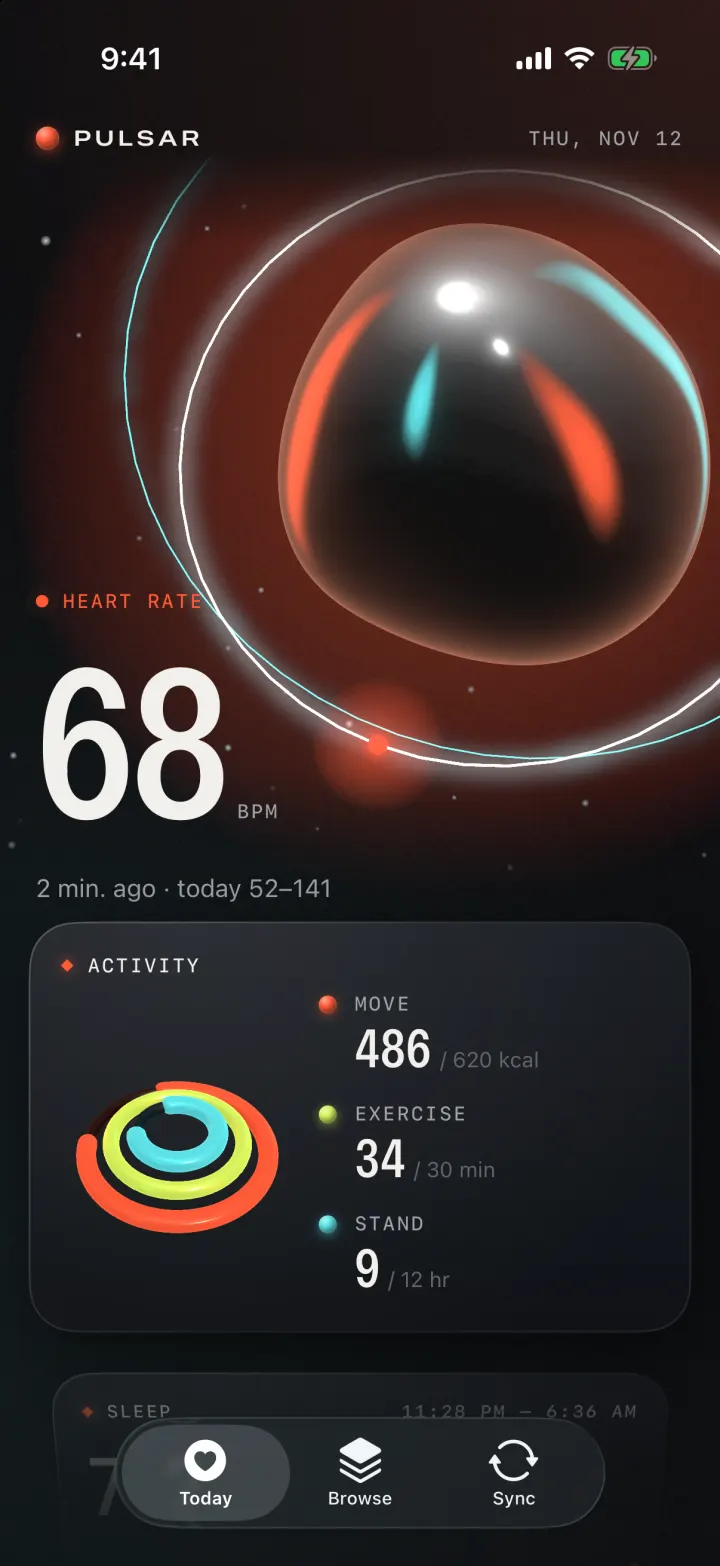
Pulsar Today screen: heart rate of 68 bpm on a chrome orb, then Activity.
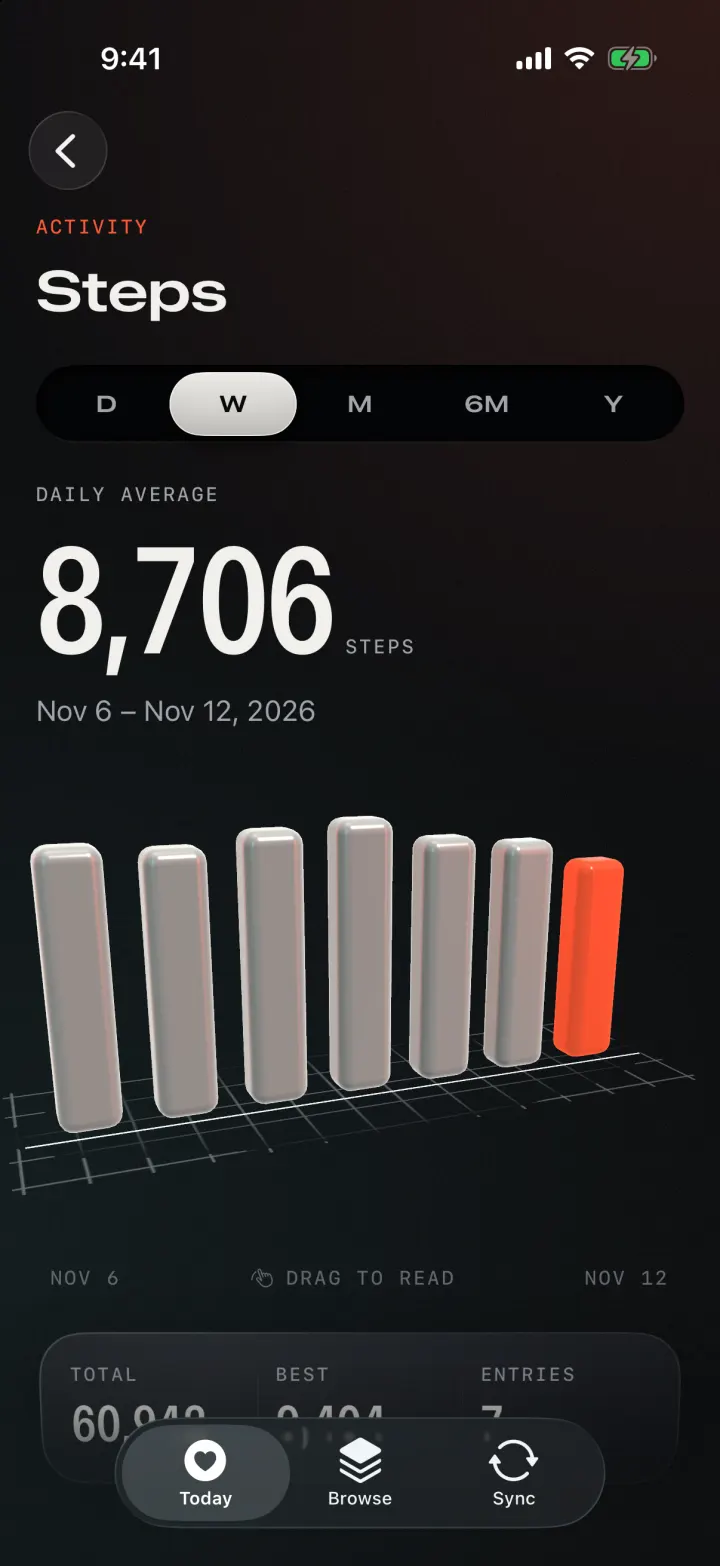
Activity
  • Move

    486/ 620 kcal

  • Exercise

    34/ 30 min

  • Stand

    9/ 12 hr

01 · Today

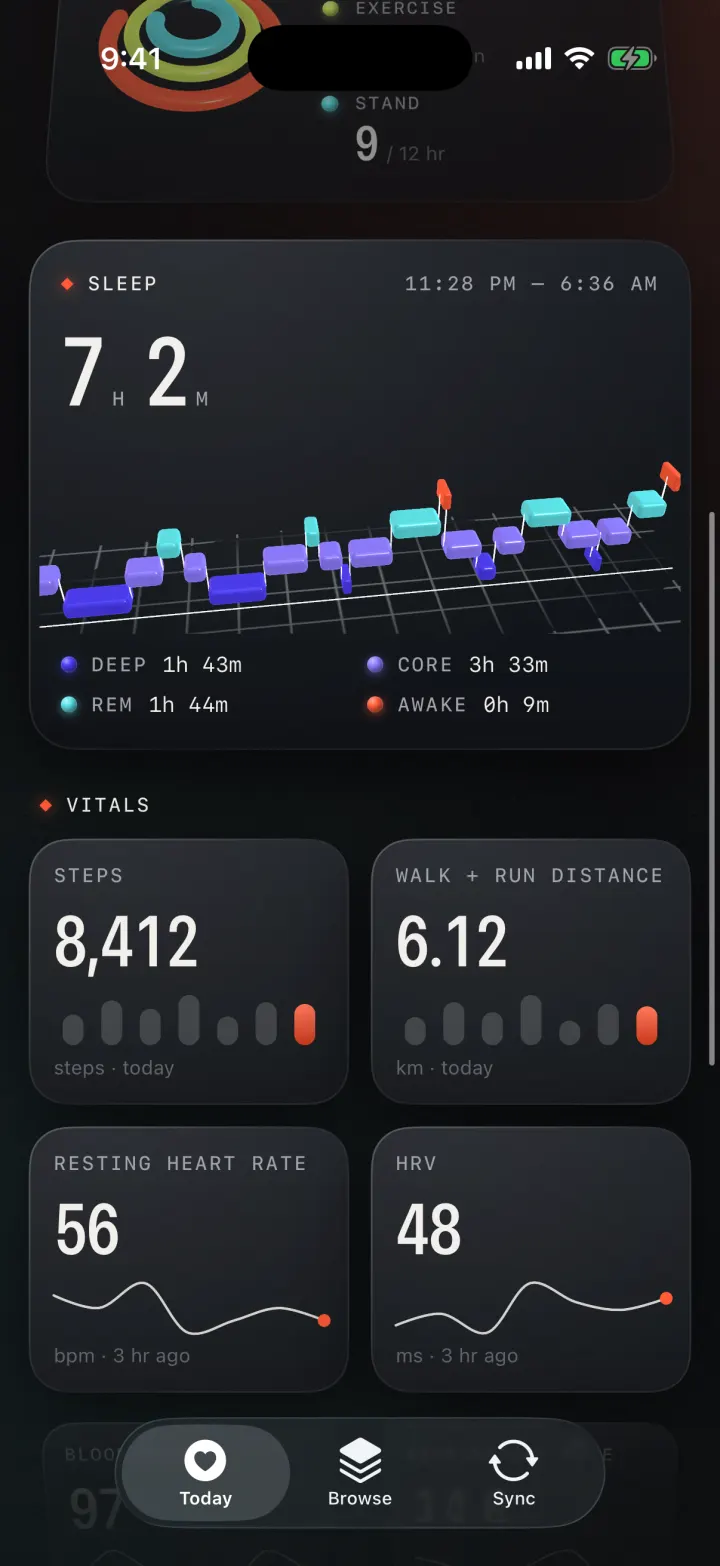
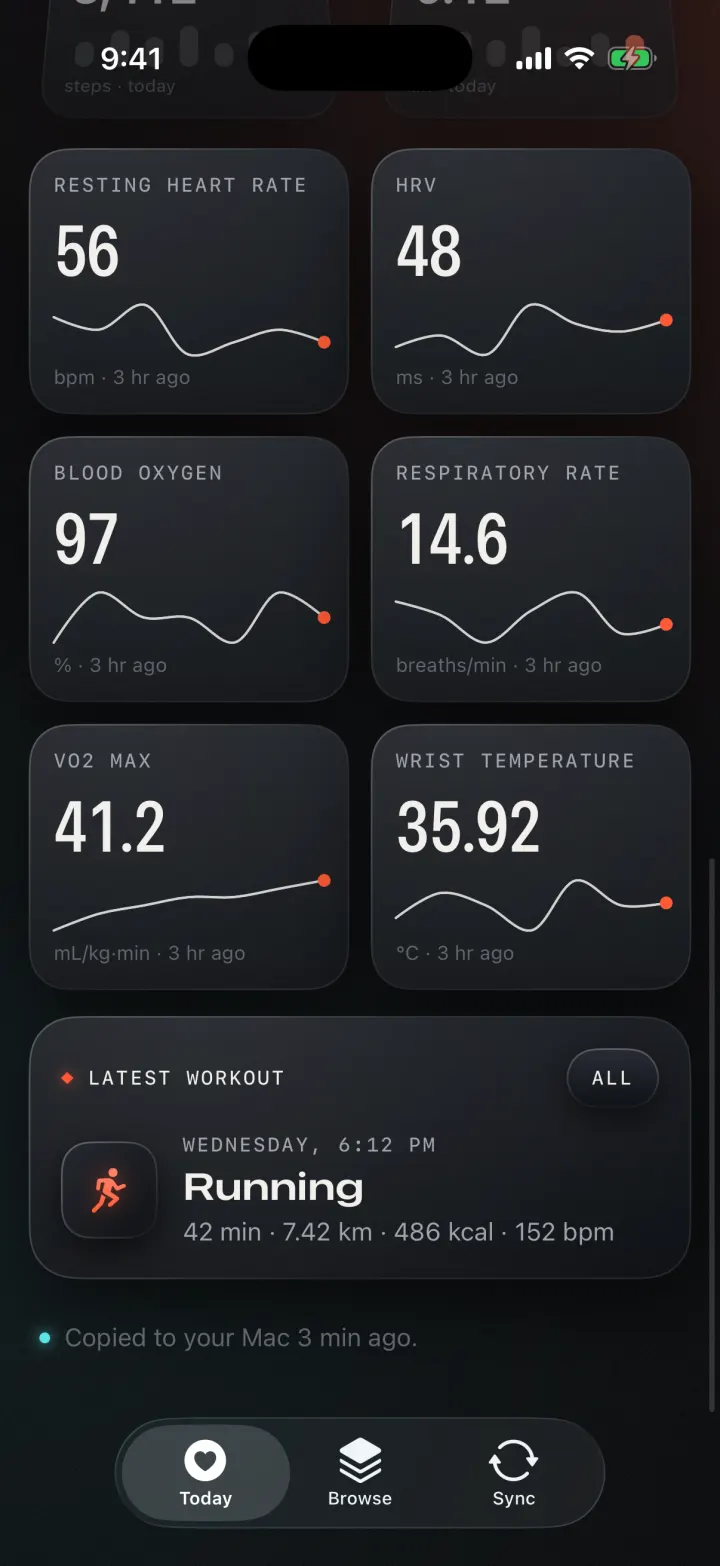
Your whole day on one screen.

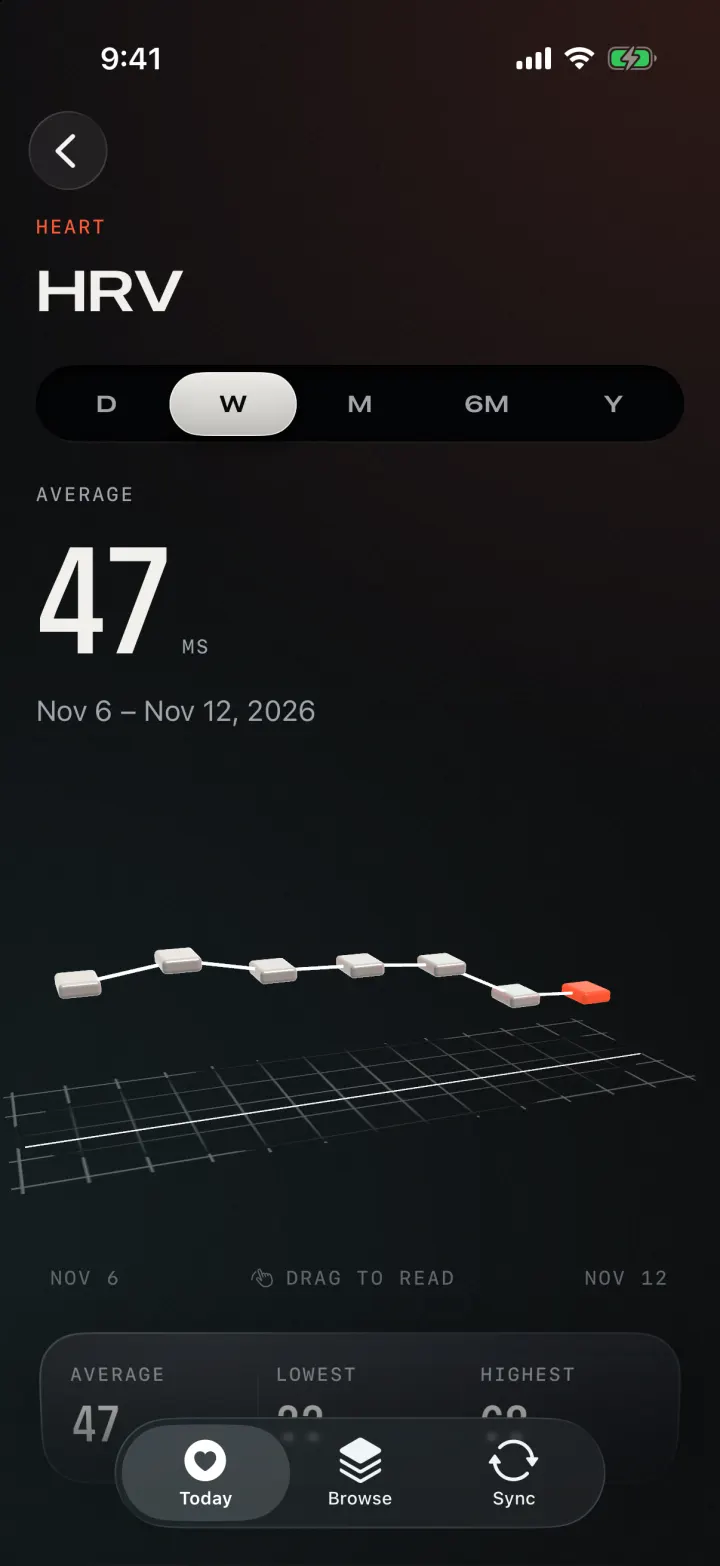
Live heart rate on a chrome orb that beats at your pulse. Below it: Activity rings in 3D, last night's sleep, eight vitals with a week of trend, and your latest workout.
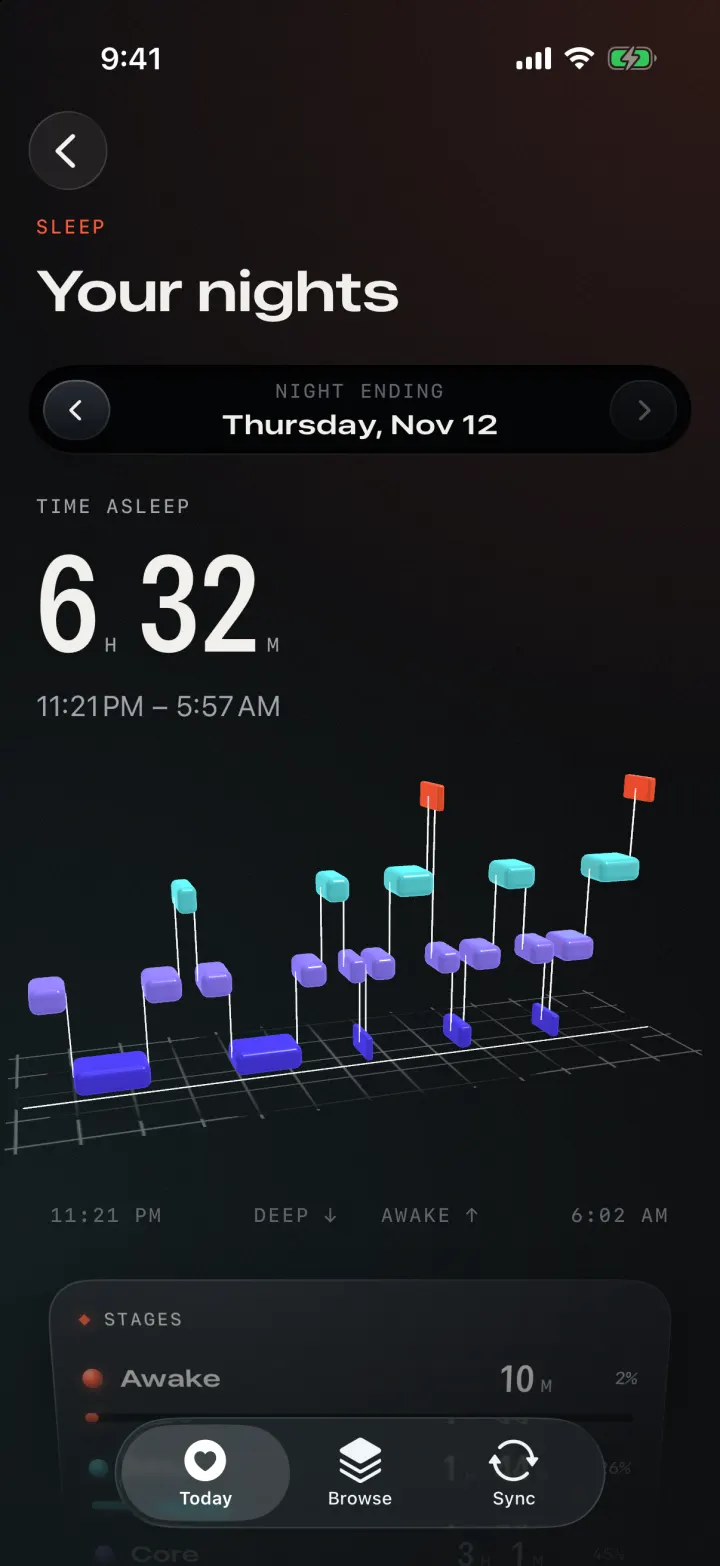
Pulsar Sleep screen: time asleep and the night as floating 3D blocks.
Sleep11:28 PM – 6:36 AM

7h2masleep

11:28 PMTap a block to read it6:36 AM
  • Deep1h 43m
  • Core3h 33m
  • REM1h 44m
  • Awake0h 9m
02 · Sleep

Every night, stage by stage.

The night as floating lit blocks: time runs left to right and deeper sleep sits lower. Step back through two weeks of nights and see how each one stacks up.

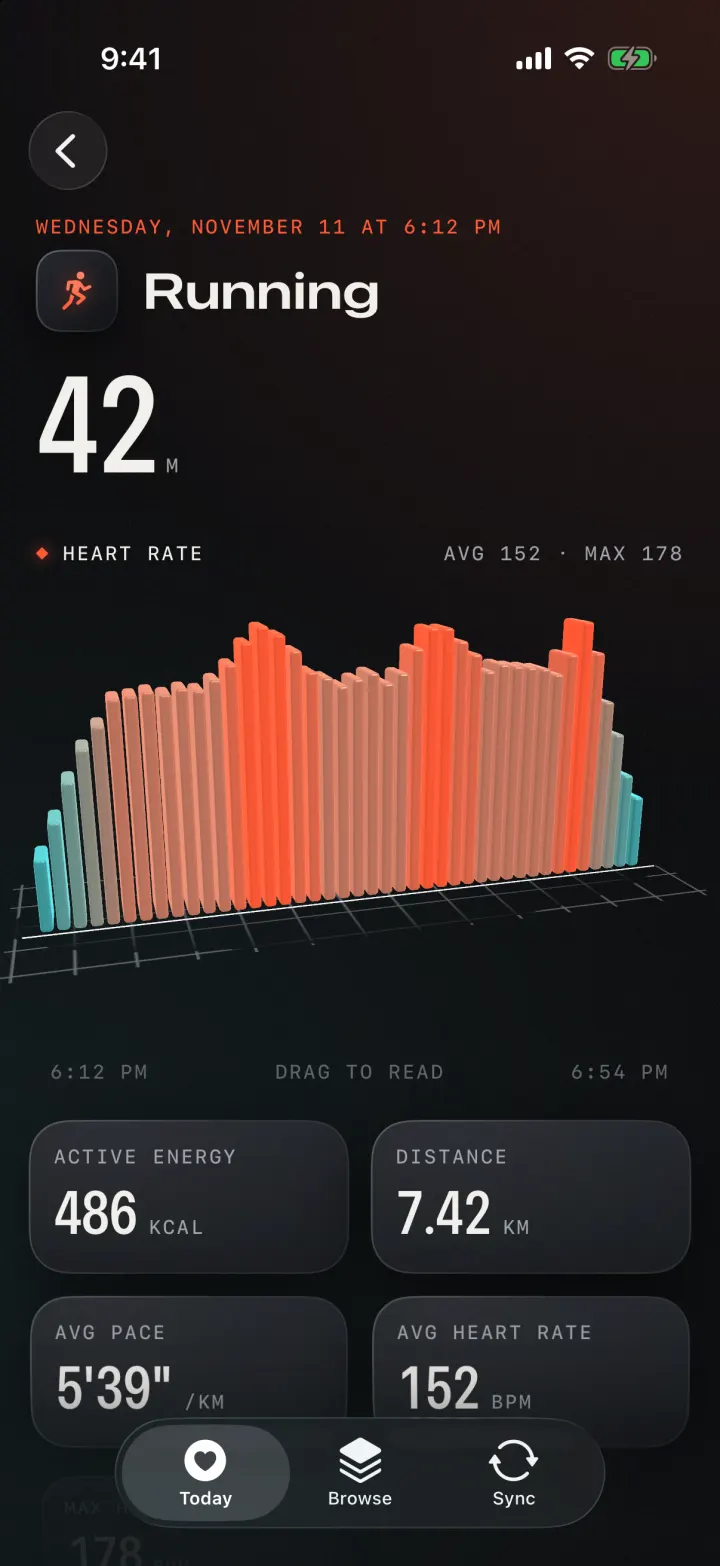
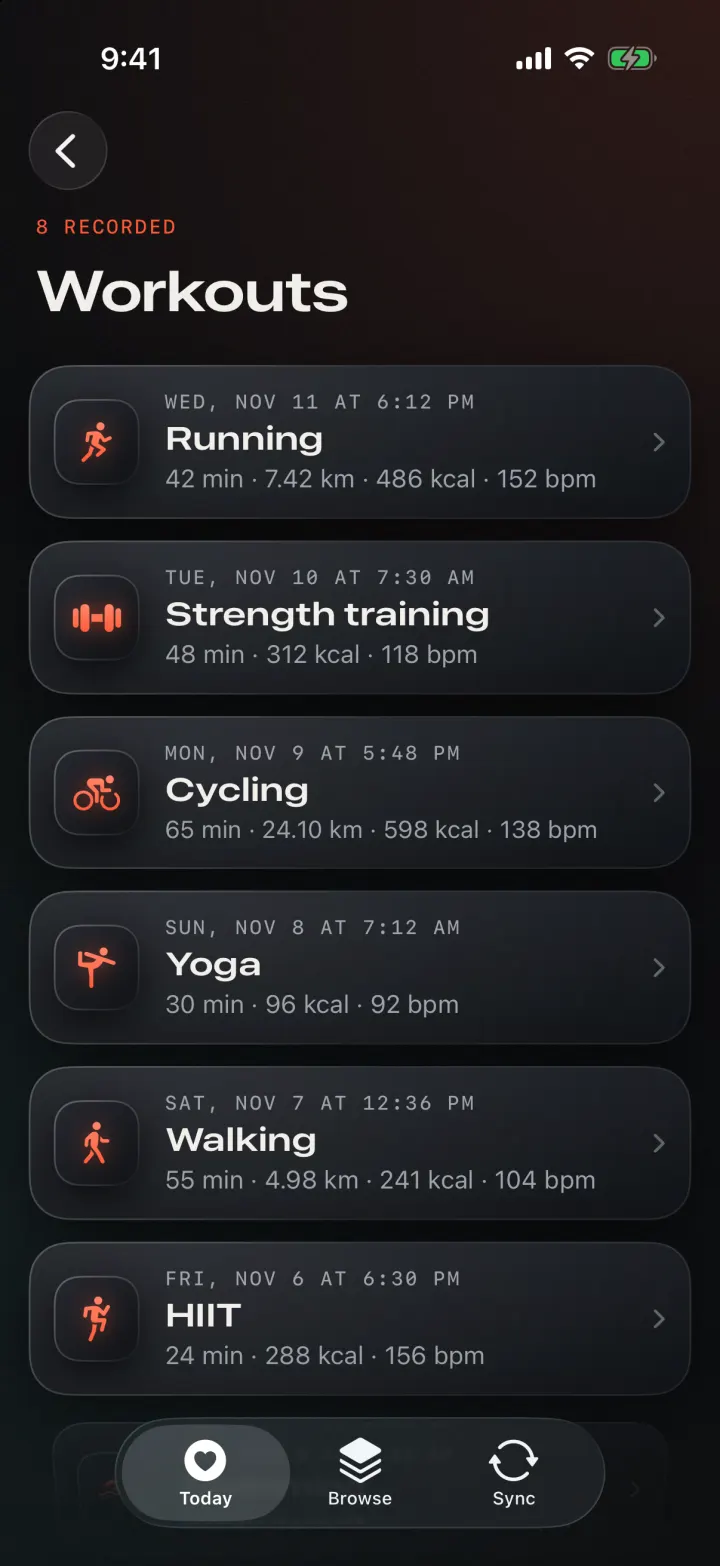
A 42-minute run in the app with a minute-by-minute heart rate skyline.
RunningYesterday · 6:12 PM

42m

avg 152 · max 178 bpm

Active energy
486kcal
Distance
7.42km
Avg pace
5'39"/km
Avg heart rate
152bpm
04 · Workouts

Every workout, minute by minute.

Distance, pace and energy for every session, and heart rate as a skyline that runs from cool to hot.

Private copy on your Mac

From your wrist to your desk.

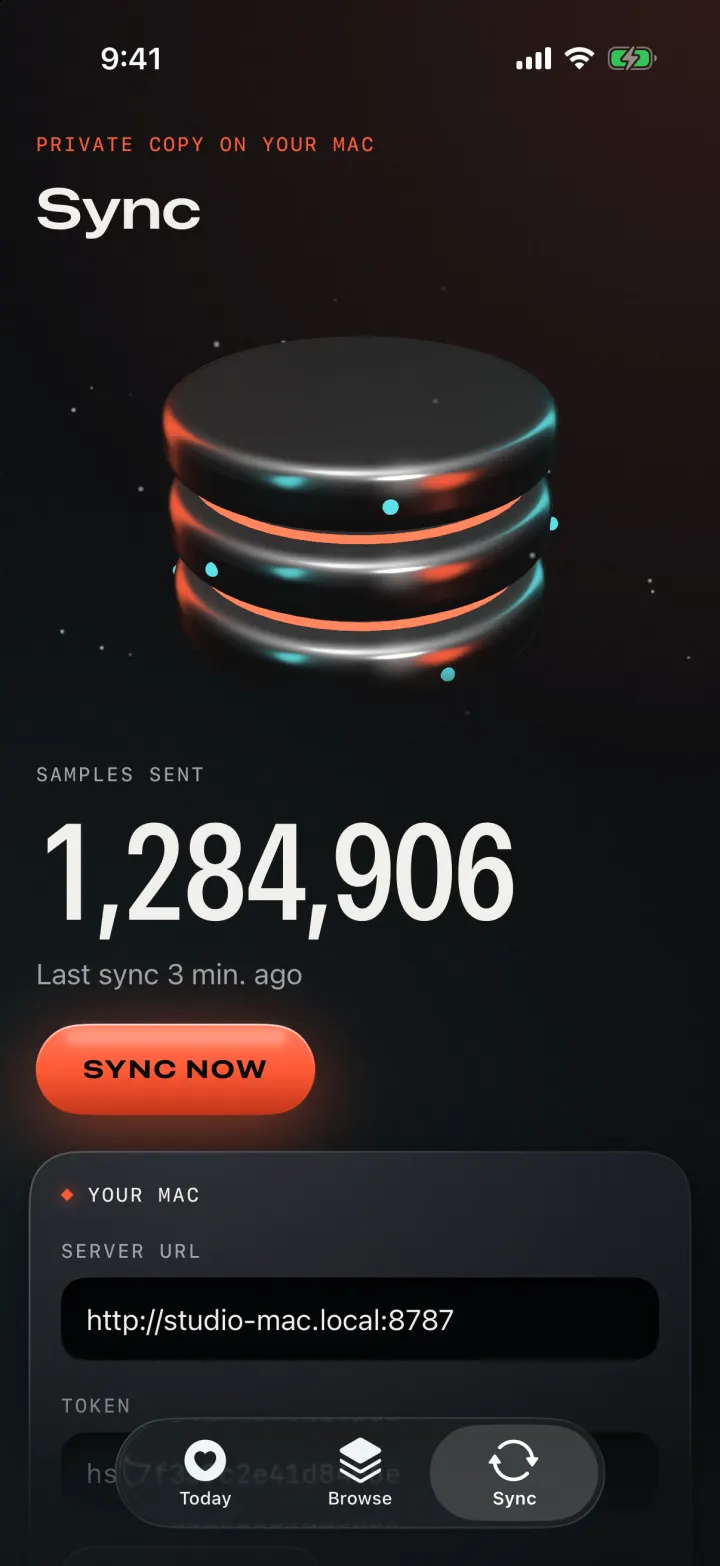
The copy on your Mac, as a stack of chrome discs. It syncs in the background whenever your Watch hands new data to your iPhone.

Samples sent 1,284,906 Last sync 3 min ago
  1. 01

    Your Watch measures

    Heart rate, sleep stages, workouts and more land in Apple Health on your iPhone, the way they always do.

  2. 02

    Pulsar wakes up

    When new data arrives, iOS wakes the app in the background. It sends only what's new since the last sync.

  3. 03

    Your Mac keeps it

    A small Python server writes everything into one SQLite file that you own.

  4. 04

    You explore it

    Open localhost:8787 for the dashboard, or point any SQLite tool at health.db.

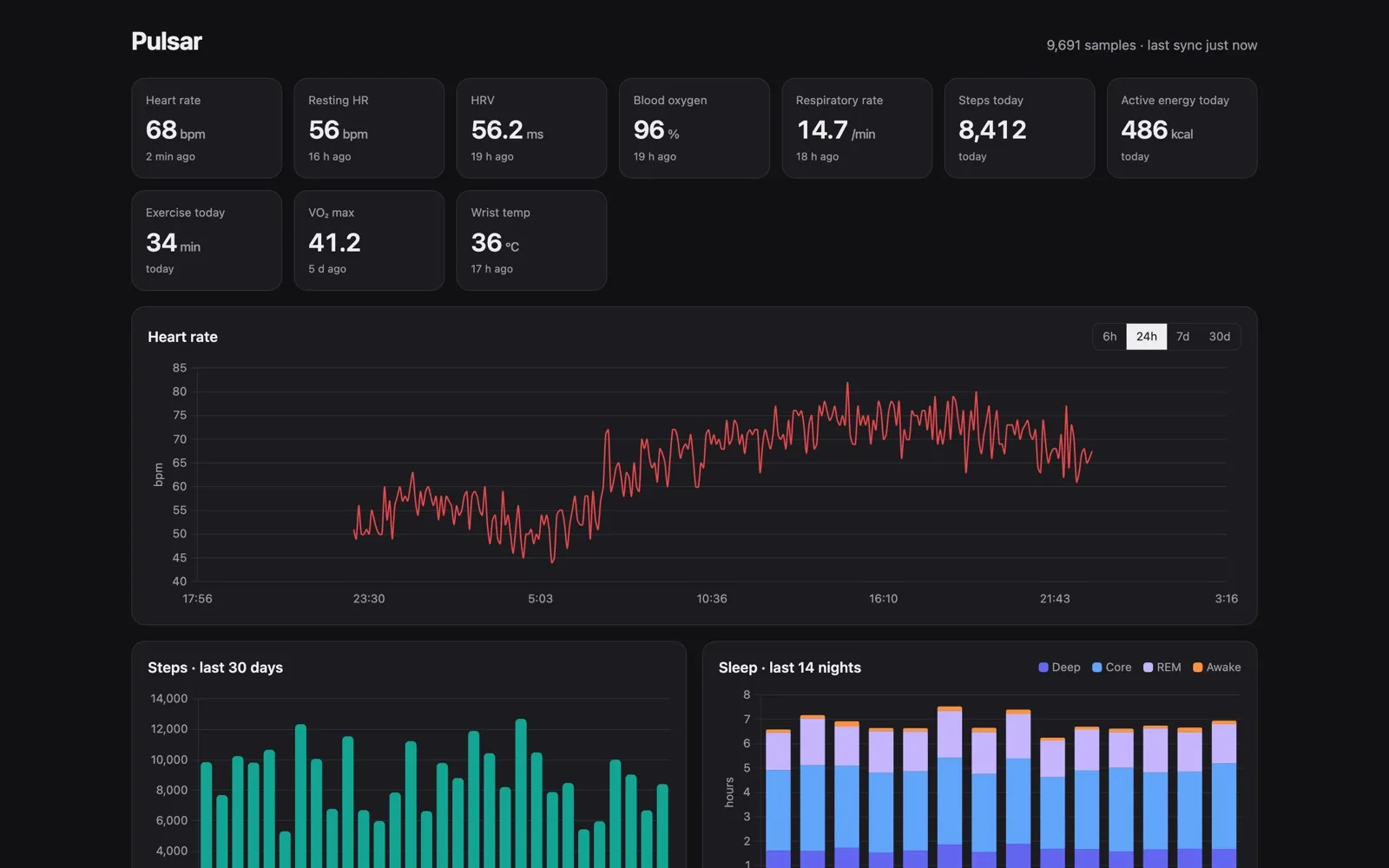
The Pulsar dashboard on the Mac: tiles for heart rate, resting HR, HRV, blood oxygen, steps and energy, a 24-hour heart rate chart, 30 days of steps and 14 nights of sleep stages.
Sync screen in the app: 1,284,906 samples sent, last sync 3 minutes ago, Sync now button and the Mac's address.
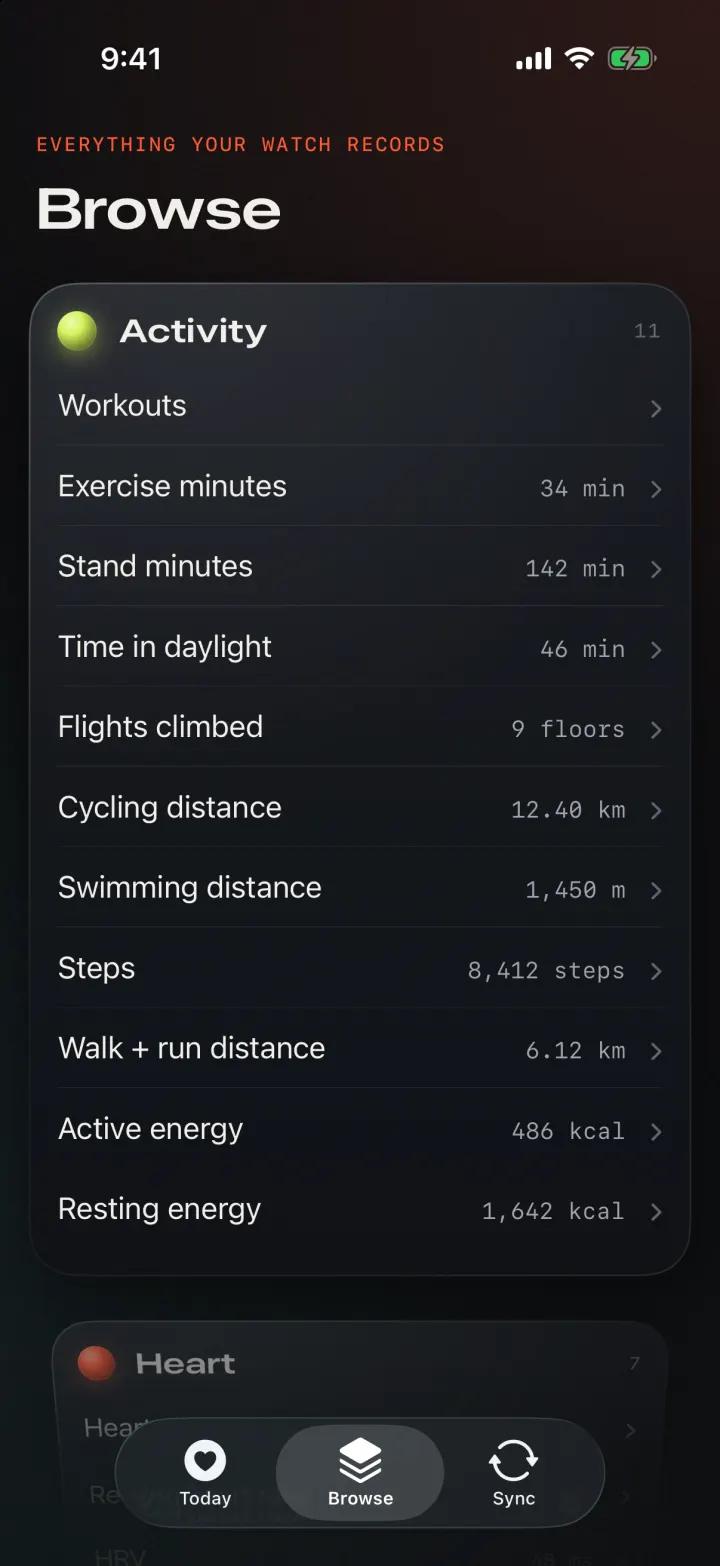
Everything your Watch records

29 kinds of data. All of it kept.

Activity

12
  • Workouts8 this week
  • Steps8,412 steps
  • Walk + run distance6.12 km
  • Active energy486 kcal
  • Resting energy1,642 kcal
  • Exercise minutes34 min
  • Stand minutes142 min
  • Time in daylight46 min
  • Flights climbed9 floors
  • Cycling distance12.40 km
  • Swimming distance1,450 m
  • Stand hours9 hr

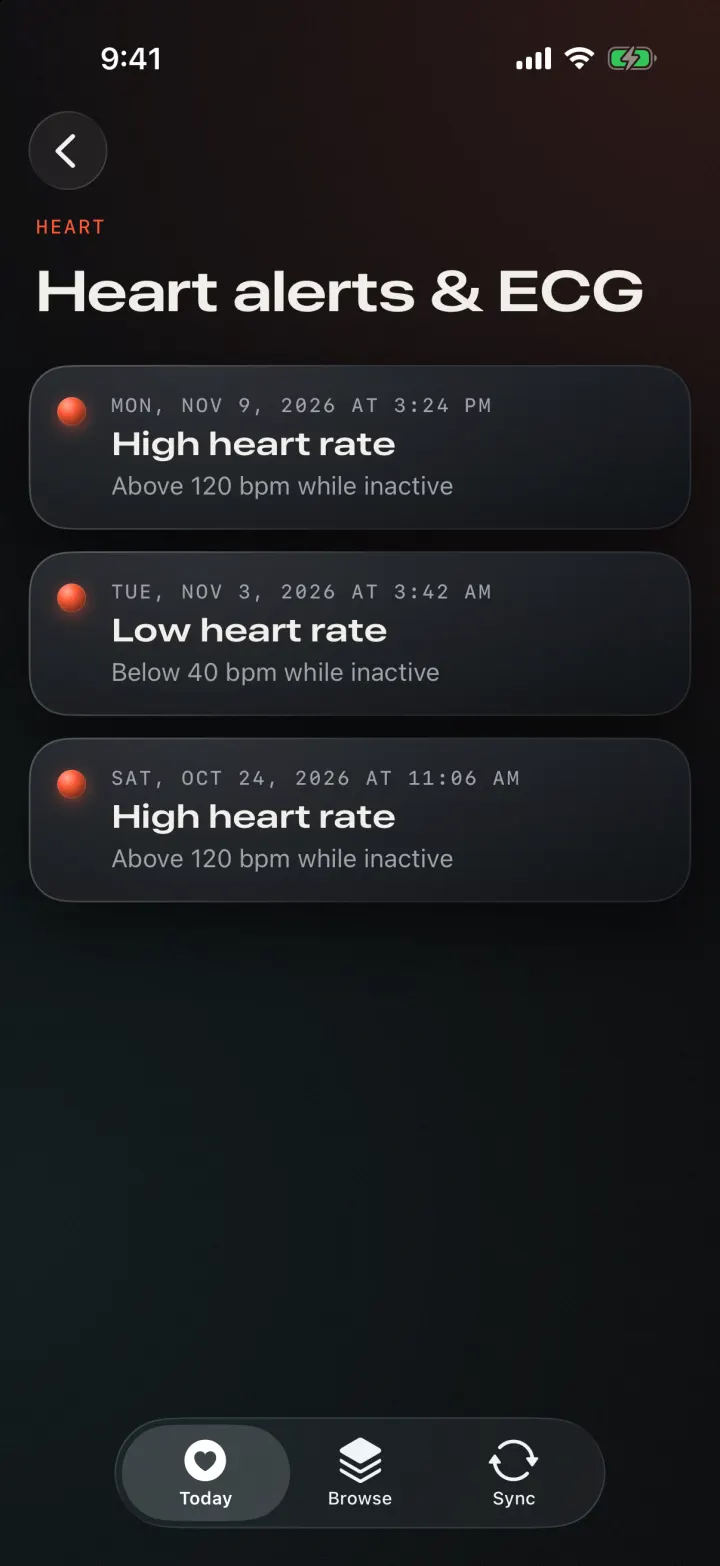
Heart

10
  • Heart rate68 bpm
  • Resting heart rate56 bpm
  • HRV48 ms
  • Walking HR average98 bpm
  • HR recovery27 bpm
  • VO₂ max41.2 mL/kg·min
  • ECGSinus rhythm
  • High heart rate alerts2
  • Low heart rate alerts1
  • Irregular rhythm alertsNone

Respiratory

2
  • Blood oxygen97 %
  • Respiratory rate14.6 /min

Sleep

2
  • Sleep stages7h 2m
  • Wrist temperature35.92 °C

Hearing

2
  • Environmental sound62 dB
  • Headphone audio71 dB

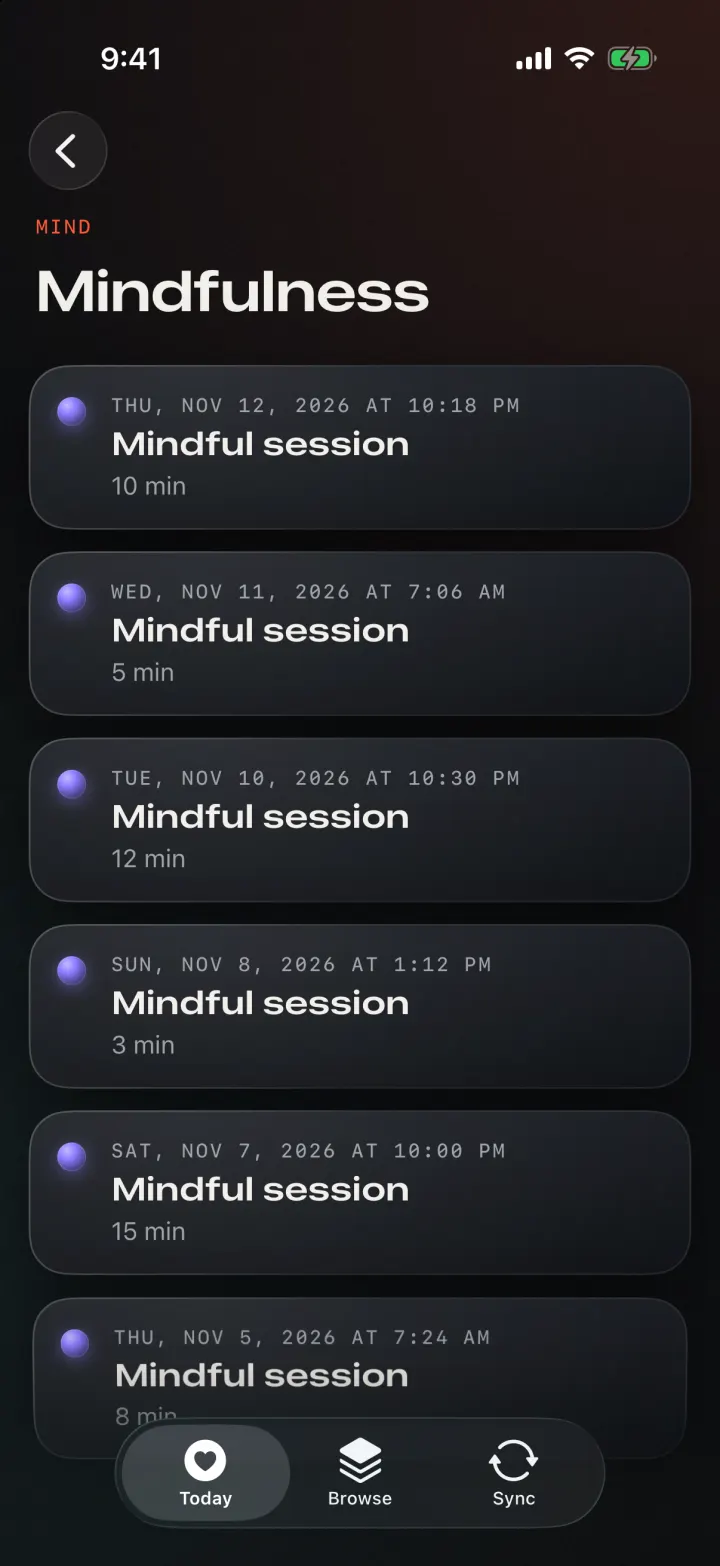
Mind

1
  • Mindfulness10 min
Privacy

Your health data lives on hardware you own.

Read-only

Pulsar never writes to Apple Health. It reads only the types you allow, and you can switch any of them off in Settings.

No cloud account

Data goes from your iPhone straight to your Mac. There's no Pulsar server in the middle, because there isn't one.

Locked to your Mac

Your Mac only accepts uploads that carry its secret token. The dashboard and read API answer only the Mac itself.

One file

Everything is in health.db. Back it up, open it in any SQLite tool, or delete it. It's yours.

Away from home

Add Tailscale on both devices to sync from anywhere. Anything missed is sent the next time your Mac is reachable.

Same numbers as Health

Steps, energy and distance use HealthKit's de-duplicated daily totals, so they match the Health app.

FAQ

Questions.

How quickly does new data reach my Mac?

Background timing is up to iOS. Heart rate usually arrives within minutes; steps and energy at most hourly. Nothing syncs while the phone is locked right after a restart. The app's log shows exactly when each sync happened.

Does my Mac have to be on?

Only for data to arrive. When the phone can't reach the Mac, nothing is lost: everything missed is sent the next time it can.

Can I sync when I'm away from home?

Yes. Install Tailscale on your Mac and iPhone and use the Mac's Tailscale address as the server. Syncing then works from anywhere.

Is there anything it can't get?

Raw sensor streams, such as the optical heart-rate signal or the accelerometer. Apple doesn't make them available. You get the processed values Apple stores in Health.

Is Pulsar a medical device?

No. It shows and stores the data Apple Health already has. It doesn't diagnose anything or give medical advice.

Waitlist

Keep every heartbeat.

Pulsar isn't out yet. Leave your email and you'll hear the moment it's ready to install.

One email when Pulsar is ready to install. Sign-ups are handled by Formspree.